
Thank you for your interest in our product AfterFocus.:)
Feel free to email to the developer for any bugs, suggestions and comments.
====================================================
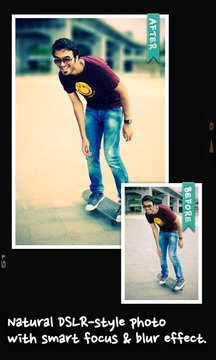
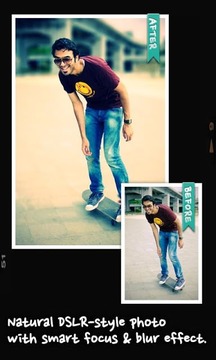
With AfterFocus, you can create DSLR-style background blurred photo by simply selecting focus area. Also, various filter effects offer you to create the most natural and realistic photo.
Selecting a focus area more precisely, you can achieve more natural and professional image.
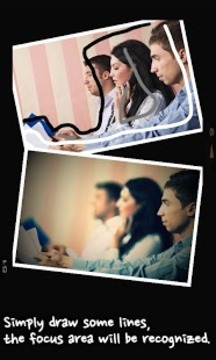
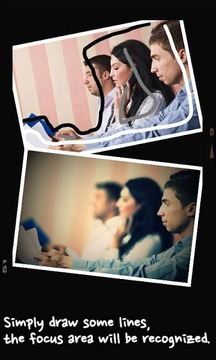
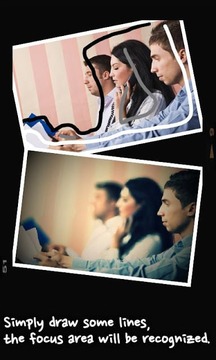
Just mark the areas you want, AfterFocus automatically recognizes the focus area precisely even for an object with complex shapes.
This auto function allows you to work faster on smart phones with small screen.
Also, background blur effect of AfterFocus gives a photo the realistic look between the edge of the background and the focus area.
With our realistic filter effects, you will enjoy photographing and photo editing even more, and share them on SNS easily.
1. Smart focus area selection
Simply draw some lines inside a focus area and the background, then AfterFocus will automatically recognize the focus area. You can also select the area with traditional finger painting.
2. Background Blur effect
You can create the most realistic blur effect with various aperture styles just like DSLR camera.
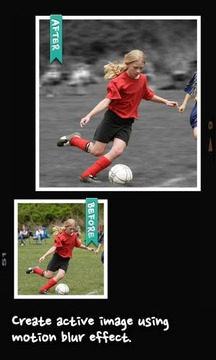
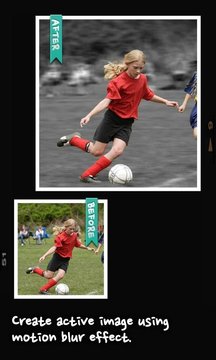
To emphasize that certain things move, Motion blur effect is also available.
3. Filter effect
AfterFocus offers from basic effects to professional effects like Cross Process without looking artificial.
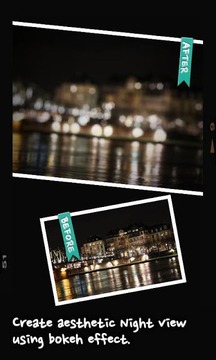
Also, you can emphasize the spot light on the background using Bokeh effect.
4. Easy share
You can share through e-mails and SNS easily and simply.
感谢您对我们的产品AfterFocus的兴趣。:)
随意通过电子邮件发送给开发者任何错误,建议和意见。
================================================== ==
随着AfterFocus,你可以通过简单地选择对焦区域创建DSLR风格的背景模糊的照片。此外,多种滤镜效果为您创造最自然,逼真的照片。
更精确地选择一个重点领域,可以实现更加自然和专业形象。
只是标记你想要的地方,AfterFocus自动识别对焦区域的精确甚至对复杂形状的物体。
这种自动功能可以让你更快地工作,在智能手机上的小屏幕。
另外,AfterFocus的背景模糊效果使相片背景的边缘和焦点区域之间的逼真的外观。
随着我们的现实滤镜效果,您将享受拍摄和照片编辑甚至更多,并在SNS分享轻松。
1.智能对焦区域选择
简单地画一个重点领域和背景内部的一些线条,然后AfterFocus会自动识别对焦区域。您也可以选择与传统的手指画的区域。
2.背景虚化效果
你可以创建各种风格的光圈,就像数码单反相机最现实的模糊效果。
要强调的是,某些东西移动,运动模糊效果也可以。
3.滤镜效果
AfterFocus从基本效果像跨专业的工艺效果提供头也不回的人工。
此外,您还可以强调使用背景虚化效果的背景聚光灯。
4.易于份额
您可以通过电子邮件和SNS分享轻松简单。
更新内容
1. Faster save speed in multi-core device2. Smooth pan and zoom for ICS+3. Larger preview resolution for hi-res device4. More filters
想要下载更多实用和好玩的手机软件就来游戏爱好者站,本站不光有海量的软件资源,更有最新最火的游戏资讯等着你!